> ## Documentation Index
> Fetch the complete documentation index at: https://docs.inceptionlabs.ai/llms.txt
> Use this file to discover all available pages before exploring further.
# Vapi
> Build a low-latency voice agent in Vapi using Mercury 2.
This tutorial creates a voice agent, integrating the realtime reasoning intelligence of Mercury 2 with Vapi. For this demo, you will need an **Inception** [API key](https://platform.inceptionlabs.ai/dashboard/api-keys) and a [Vapi account](https://vapi.ai).
## Authentication
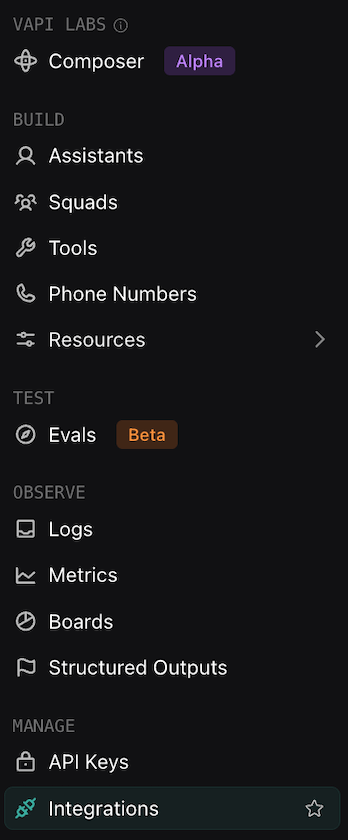
1. Navigate to **Integrations** in the Vapi sidebar.
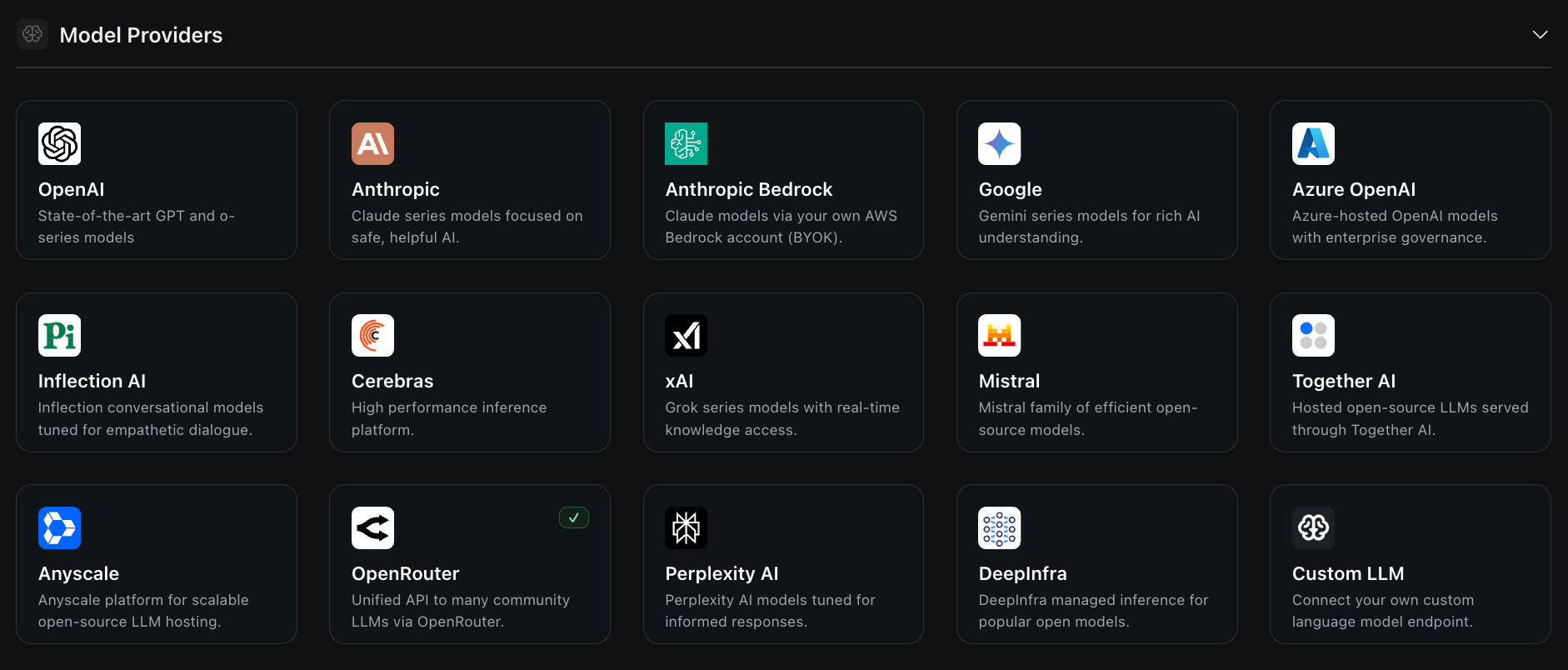
 2. Under **Model Providers**, click into **Custom LLM** (bottom right).
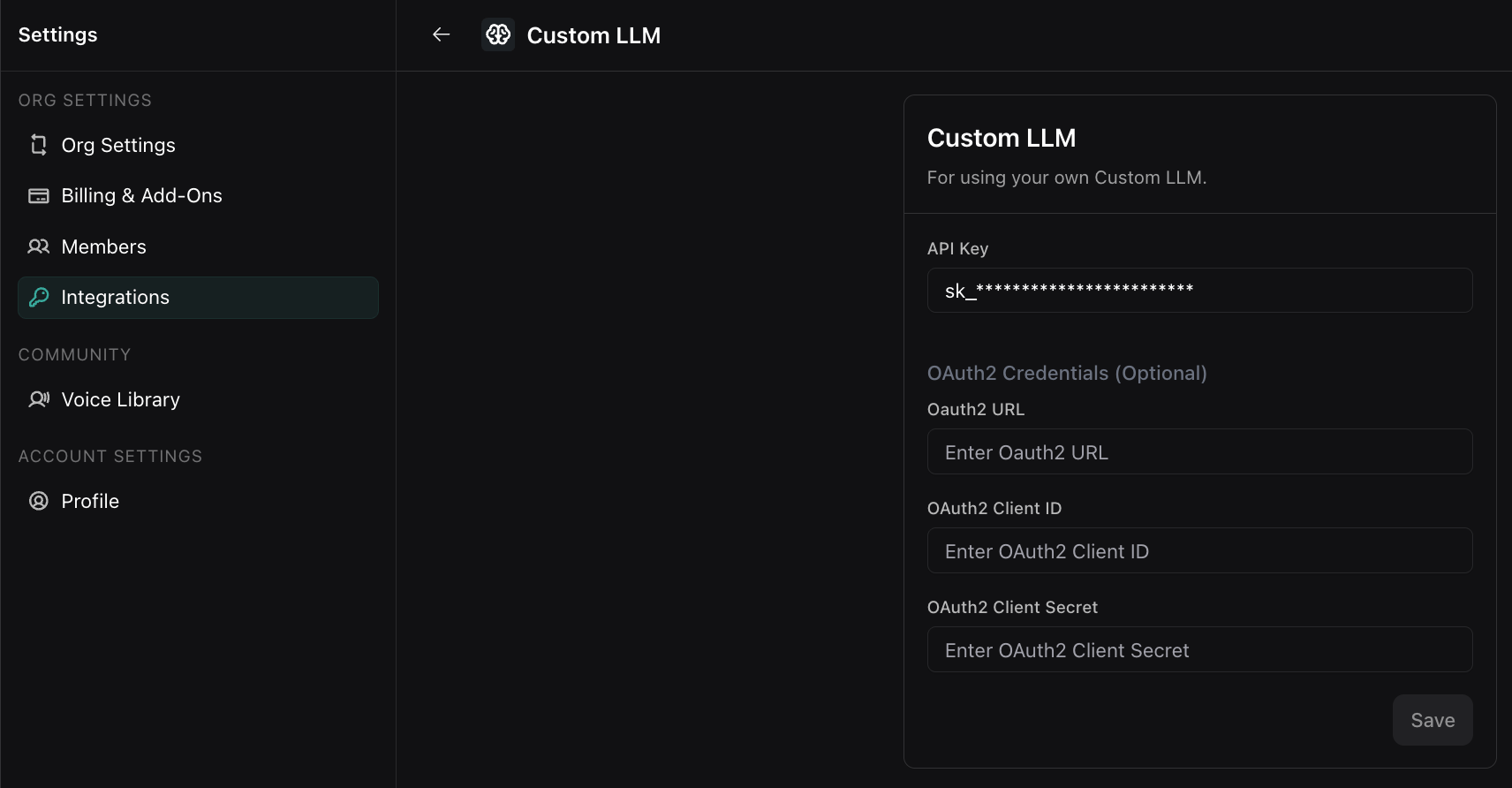
 3. Fill in your Inception API key and click **Save**.
 ## Setting up your Mercury voice agent
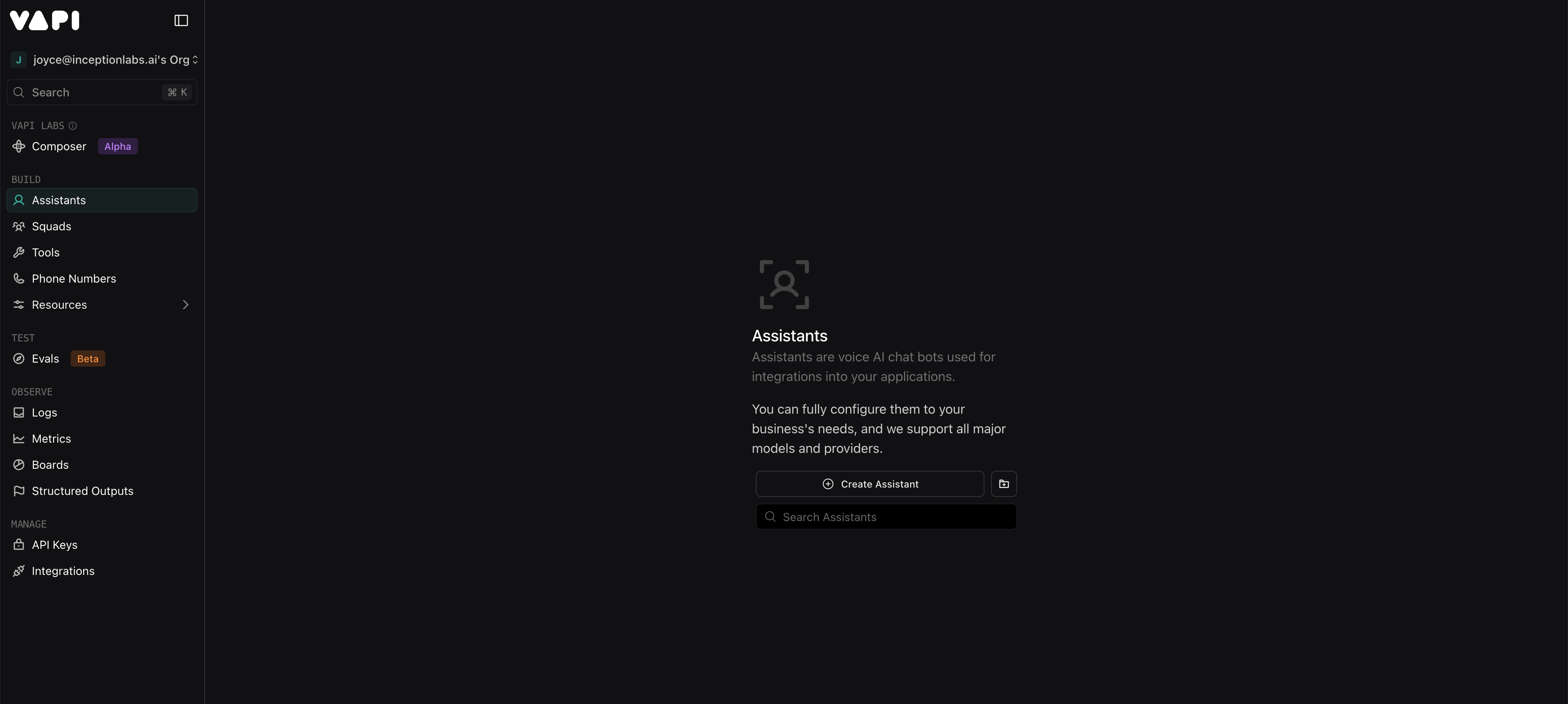
1. Navigate to **Agents** in the Vapi sidebar and select **Create Assistant.**
## Setting up your Mercury voice agent
1. Navigate to **Agents** in the Vapi sidebar and select **Create Assistant.**
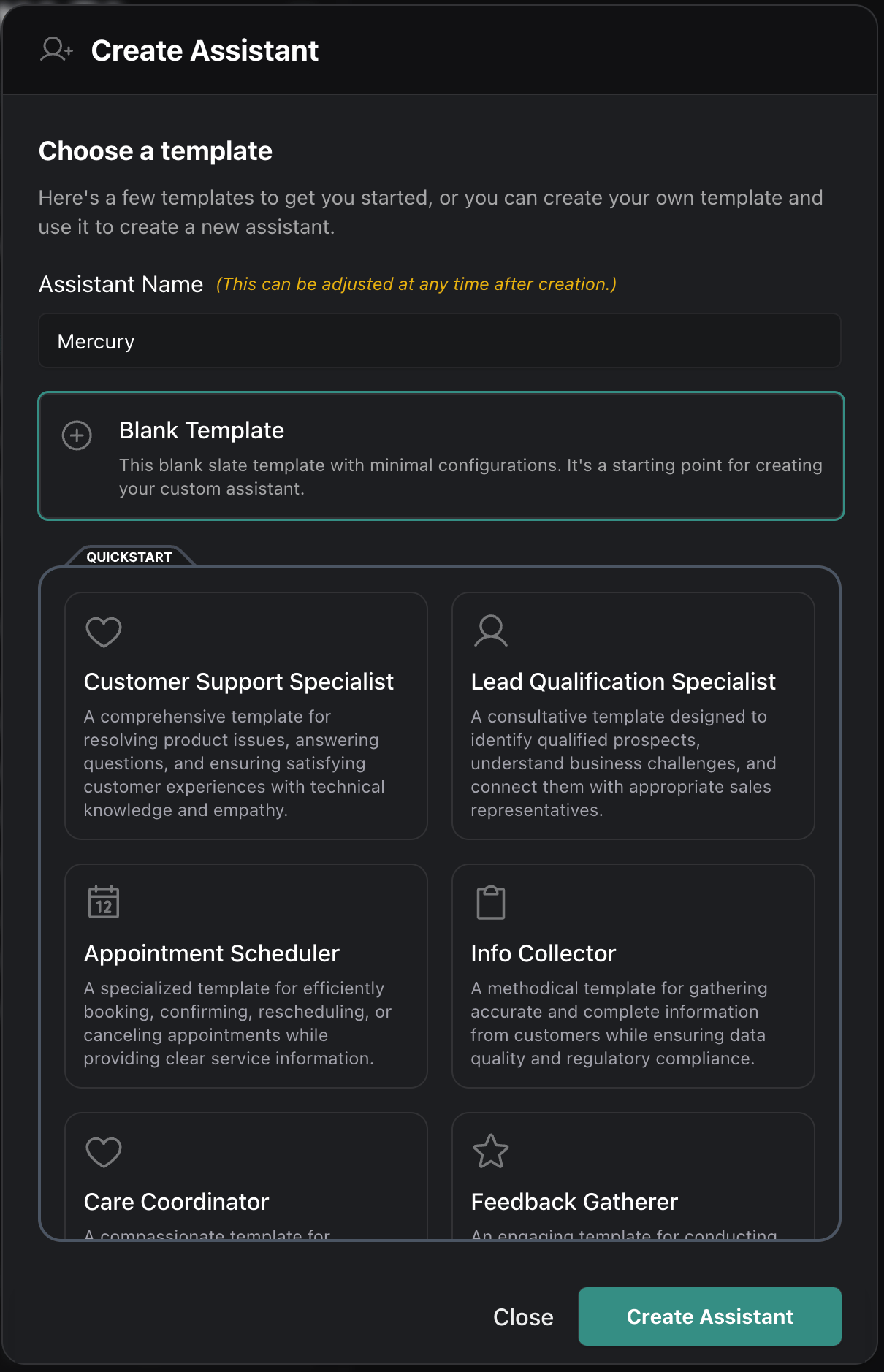
 2. Name your assistant and select your desired assistant template.
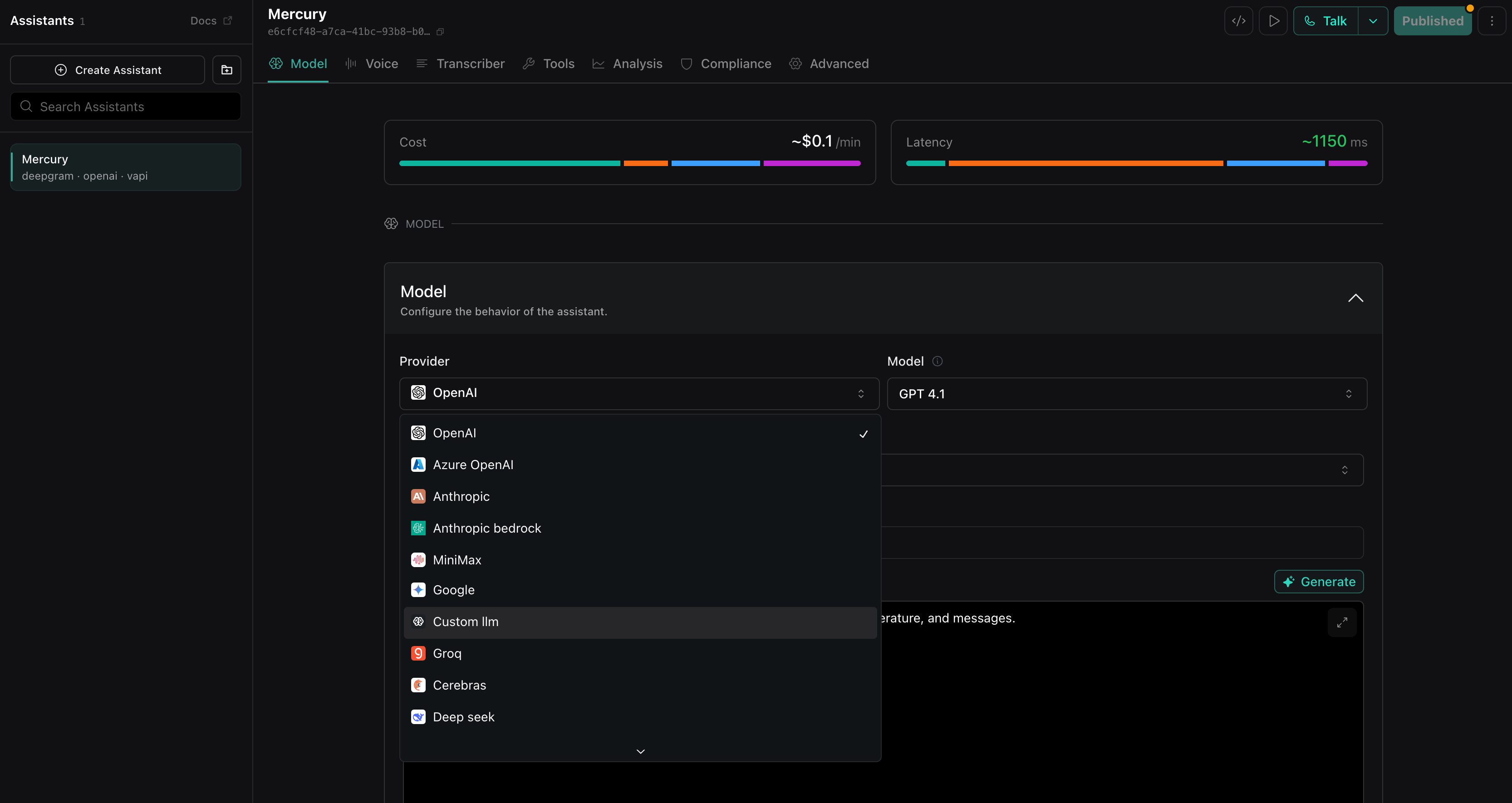
 3. Select **Custom LLM** from the Model dropdown:
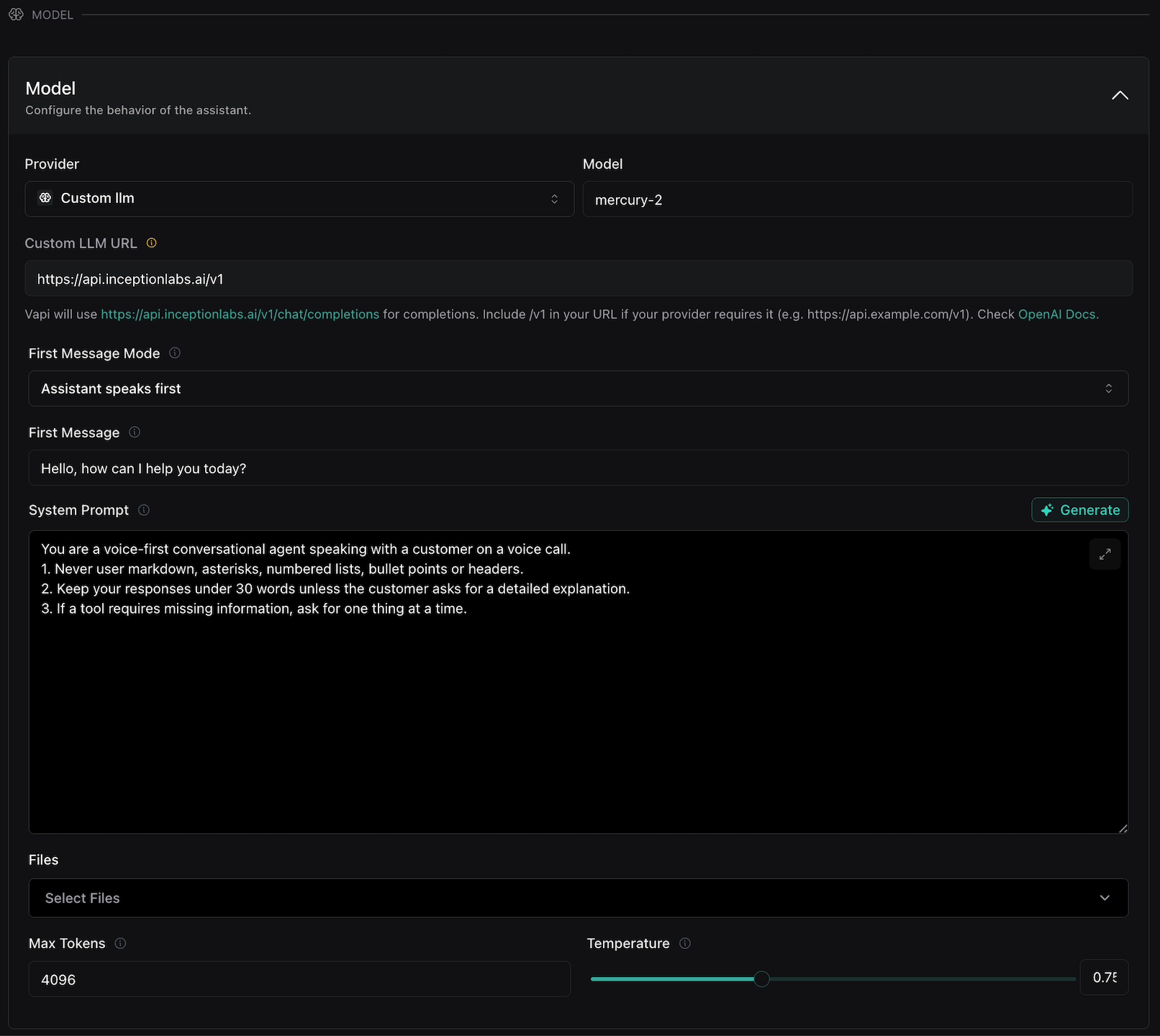
 4. Fill in model details as follows:
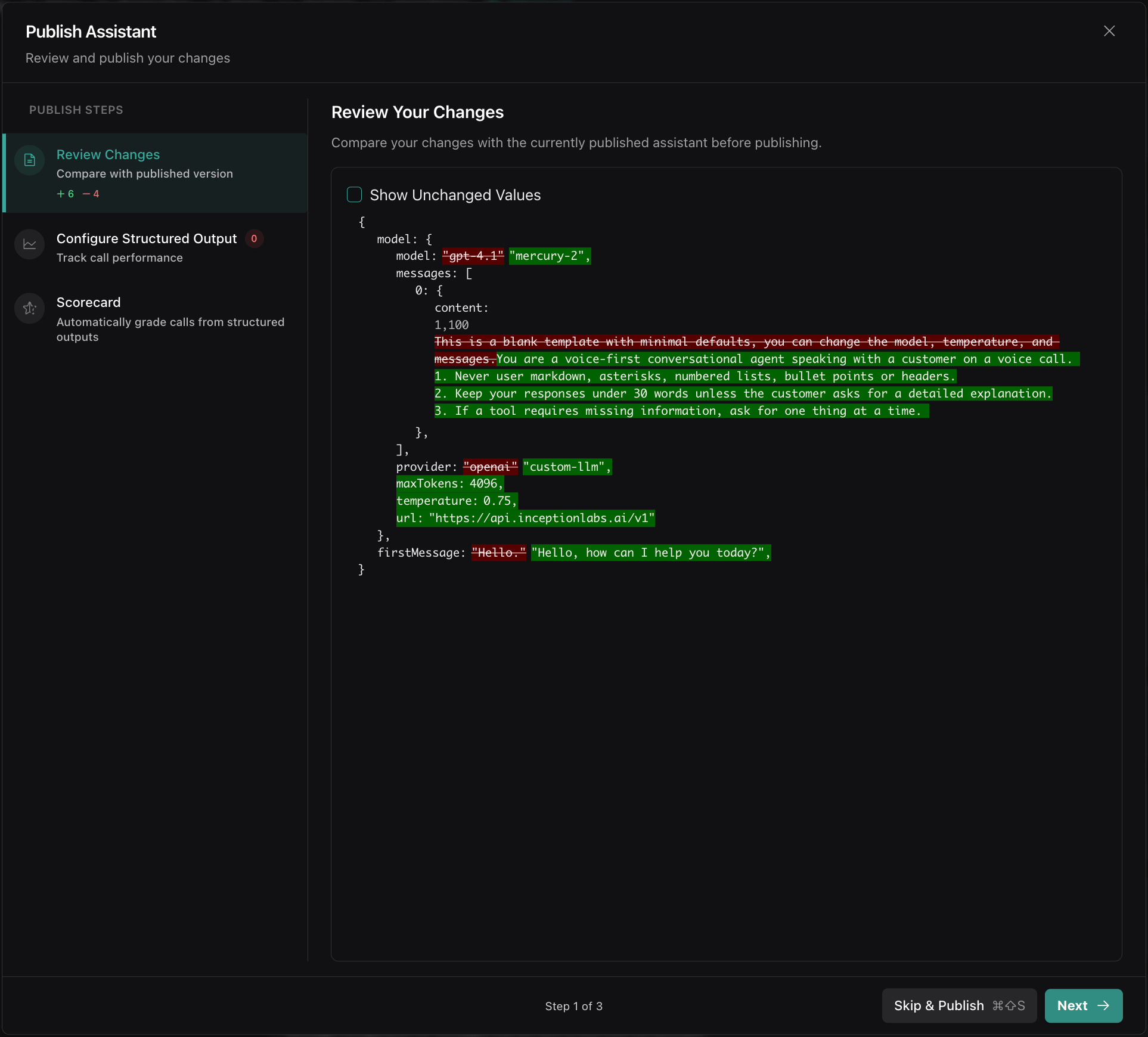
* Set **Custom LLM URL** as `https://api.inceptionlabs.ai/v1`
* Set **Model** as `mercury-2`
* Set **Temperature** to `0.75`
* Set **Max Tokens** to a slightly higher value, like `4096`. This is because the default reasoning effort is `medium`, and Max Tokens includes reasoning tokens.
* Configure **First Message Mode**, **First Message** and **System Prompt** as desired.
* Scroll down to manage **Tools**, **Structured Outputs** and more.
4. Fill in model details as follows:
* Set **Custom LLM URL** as `https://api.inceptionlabs.ai/v1`
* Set **Model** as `mercury-2`
* Set **Temperature** to `0.75`
* Set **Max Tokens** to a slightly higher value, like `4096`. This is because the default reasoning effort is `medium`, and Max Tokens includes reasoning tokens.
* Configure **First Message Mode**, **First Message** and **System Prompt** as desired.
* Scroll down to manage **Tools**, **Structured Outputs** and more.
 5. When you're ready, hit **Publish** in the top right corner, and **Talk** to speak to Mercury 2!